
Logic Plugin Organizer
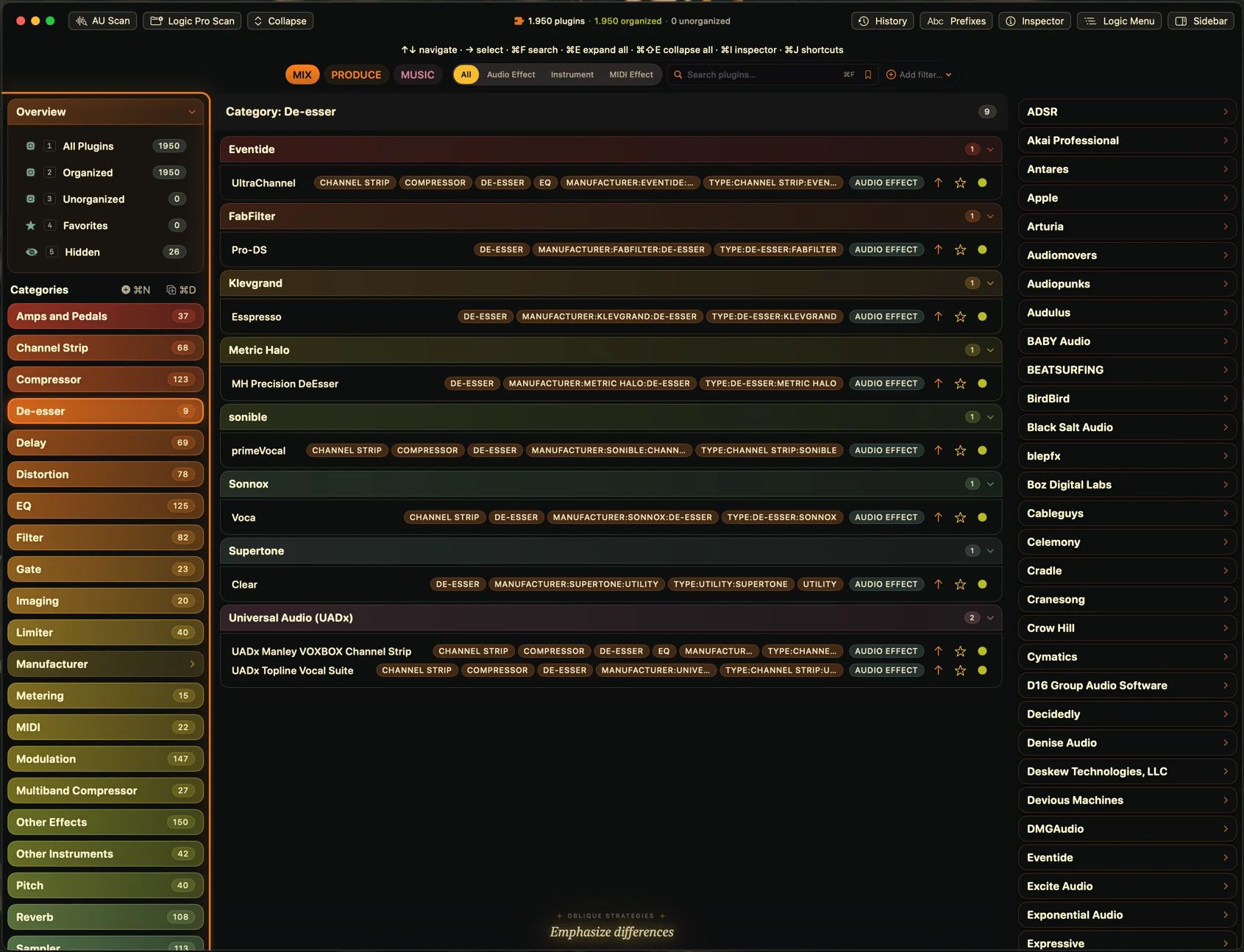
Logic Plugin Organizer scans every Audio Unit installed on your Mac and classifies them for you, offline, with a manufacturer hierarchy to browse and license or demo status on every plug-in. Preview the exact menu Logic will show, then write it into Logic Pro's own tag database, so your plug-ins are organized the next time you open Logic.
How it works
Scan
Categorize
Write to Logic
Open one manufacturer and it breaks down into its own categories
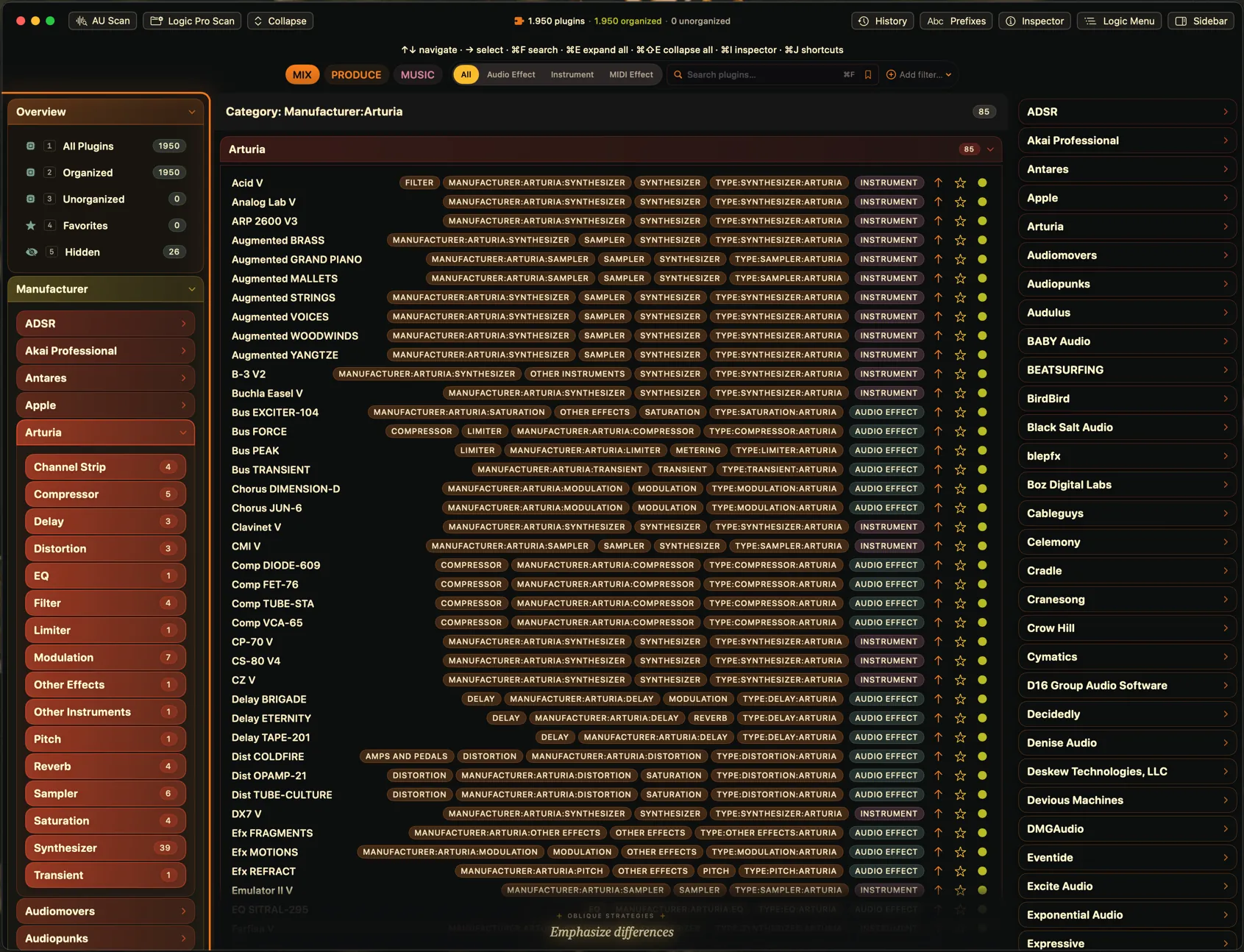
Expanding a manufacturer gives you that maker’s own category list with a count on each (four channel strips, five compressors, three delays, thirty-nine synthesizers), next to every one of its plug-ins and the tags each one was classified with. It is the view for a library where a single maker accounts for eighty-five plug-ins on its own: the counts say where that maker is deep and where it has exactly one, before you open anything.
The counts are not decoration. A maker with thirty-nine synthesizers and one channel strip is a different browsing problem from a maker with five compressors, and the number tells you which one you are about to open. The tags on each row do the rest, because two plug-ins with near-identical names are separated by what they were classified as rather than by what they were called.
How much this matters scales with the library. The capture at the top of this page is a Mac with 1,950 plug-ins scanned, and at that size an alphabetical run of names has stopped being a list. Manufacturer, then category inside it, is what keeps a collection that size navigable by hand.
Everything the app knows about one plug-in, on one panel
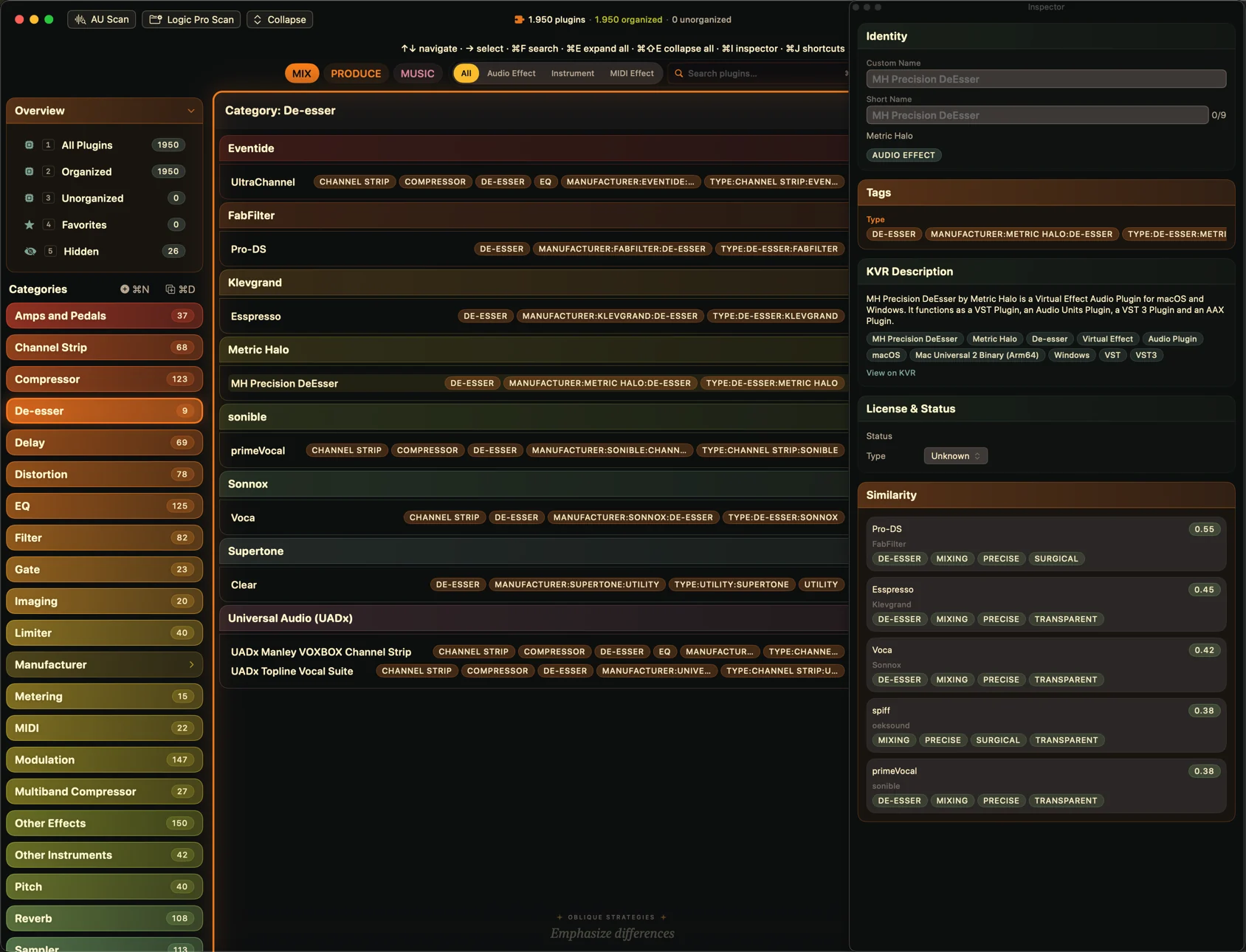
Selecting a plug-in opens the inspector beside the library. Custom Name and Short Name sit at the top, and both are editable, because those are the two strings that follow the plug-in into Logic Pro. Under them are the tags the plug-in carries, then a reference entry with its own description, its own tag set and a link out to the plug-in’s KVR page, and a License and Status block below that.
The reference entry is the part a scan cannot produce on its own. An Audio Unit reports little more than its name, its maker and its type, so the description and the tag set beside it come from the reference data the app ships with, offline and without asking anything of the network. That is what lets the panel say what a plug-in is, and not only what it is called.
License and Status says, per plug-in, whether the app found a license or a demo. On a Mac that has collected plug-ins for years that is the difference between finding an expired demo while you are browsing and finding it in the middle of a session.
The panel ends with something no list can tell you: five comparable plug-ins from your own library, each with a score and the descriptive tags it shares. It is the one place the app suggests rather than reports. The plug-in you have not opened in a year turns up next to the one you reach for every day, and it turns up because it shares the tags listed beside it, not because the two names happen to sort near each other.
The preview and the write are the same projection
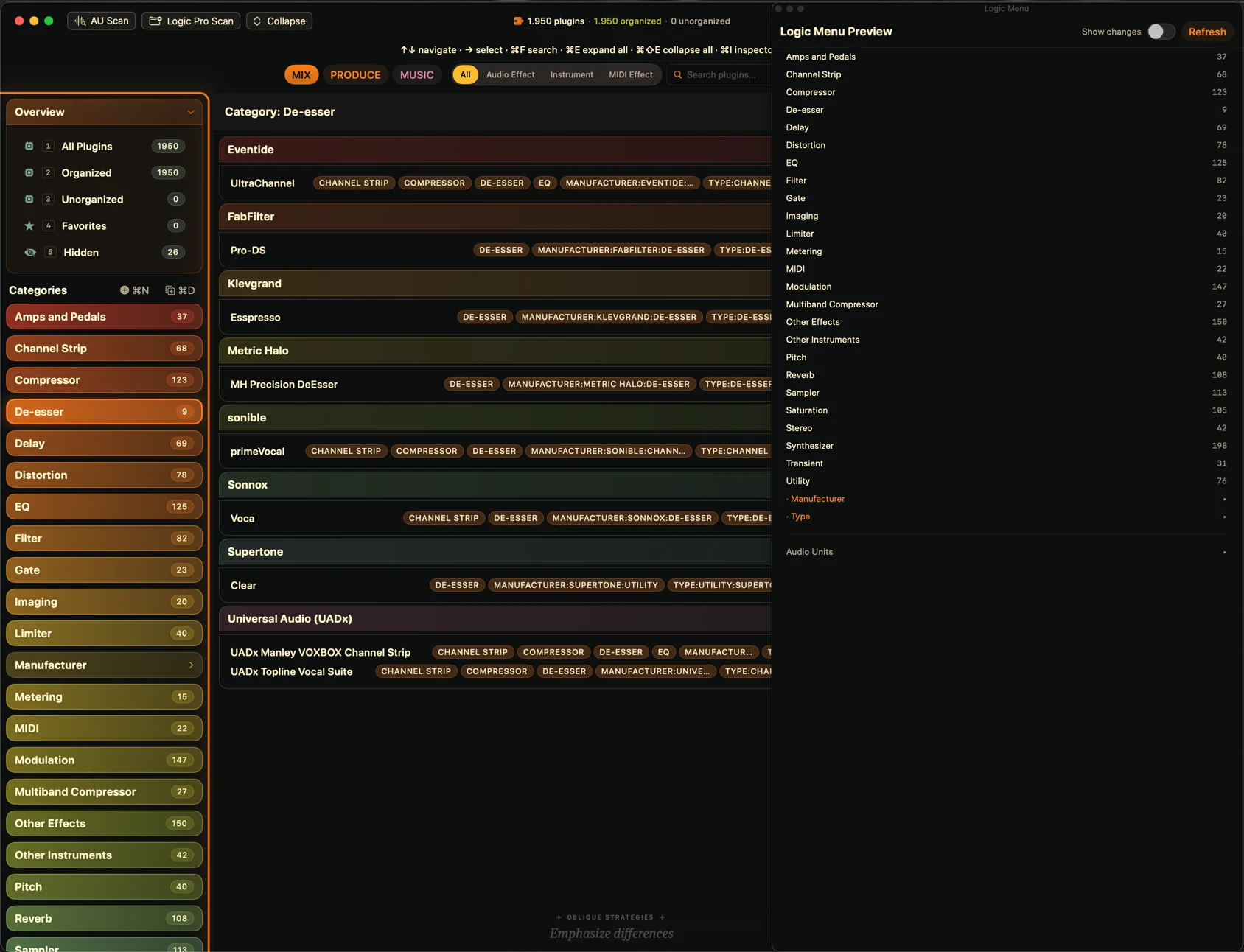
The Logic Menu Preview panel lists what the app is about to hand Logic Pro: every category with the number of plug-ins in it, the Manufacturer and Type submenu roots, and Audio Units beneath them. Those are the same counts the library itself is showing, because the panel is built from the projection the write uses. It is the outcome, read before the write instead of after it.
Writing to Logic’s tag database is the one step in this app that reaches outside it, and it is the step a careful person hesitates over. Two things remove the hesitation. A category that looks wrong in this panel would have looked wrong in Logic, and you fix it here while nothing on disk has changed. And the categories Logic already has are backed up before anything is written, so the arrangement you had is still there if you want it back.
The panel is also the honest answer to how long this takes. Reading it is how you find out that a category you spent ten minutes on holds two plug-ins, or that one you never touched holds sixty, before either of those facts becomes a menu you have to live with.
If you want the rules the preview is built on, we wrote them down: how Logic Pro builds its plug-in menus, measured against a live copy of Logic rather than inferred from the format.
Buy
Purchasing opens soon
Direct purchasing is not open yet. Logic Plugin Organizer and its price are final; only the checkout is still being set up.
Support
Questions, bug reports and feature requests are handled on the support page. The privacy policy covers what the app reads and writes on your Mac. Both pages are in Danish.